● Open source · Self-hosted · Linux
Cache & Carry
Your network. Your packages. Your cache.
Cache & Carry keeps the Linux packages your machines download on your own network. Download once from the Internet, then serve every machine on your LAN.
- Request
- From the Internet
- From the cache
- 959 → 9 ms8.6 MiB package index, example measurement
- 1 downloadno matter how many machines ask at once
- about 13 MBmemory when idle, measured
- APT + Pacmantested with real clients
01 · Features
Small, fast and honest.
One binary, one storage folder, one dashboard. No database server, no Java, no Kubernetes.
Available today
One download for everyone
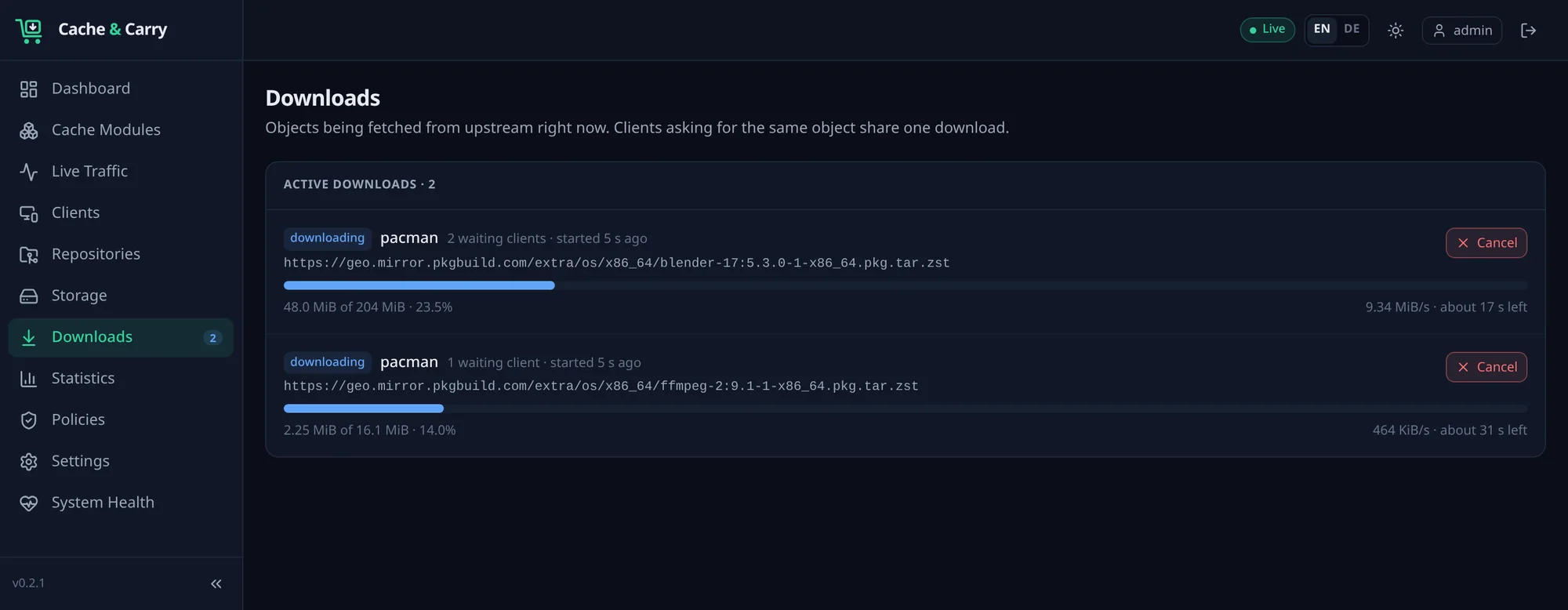
When several machines ask for the same file at once, Cache & Carry fetches it only once. Every waiting machine is served while it is still arriving.
APT
For Debian, Ubuntu and Proxmox. Tested with Debian 12 and 13, Ubuntu 26.04 and Proxmox VE 9.2.
Pacman
For Arch Linux and CachyOS. Tested with real pacman on both.
Content addressed storage
Every file is stored under its SHA-256 hash. The same content takes space once, even when it comes from different repositories.
Live dashboard
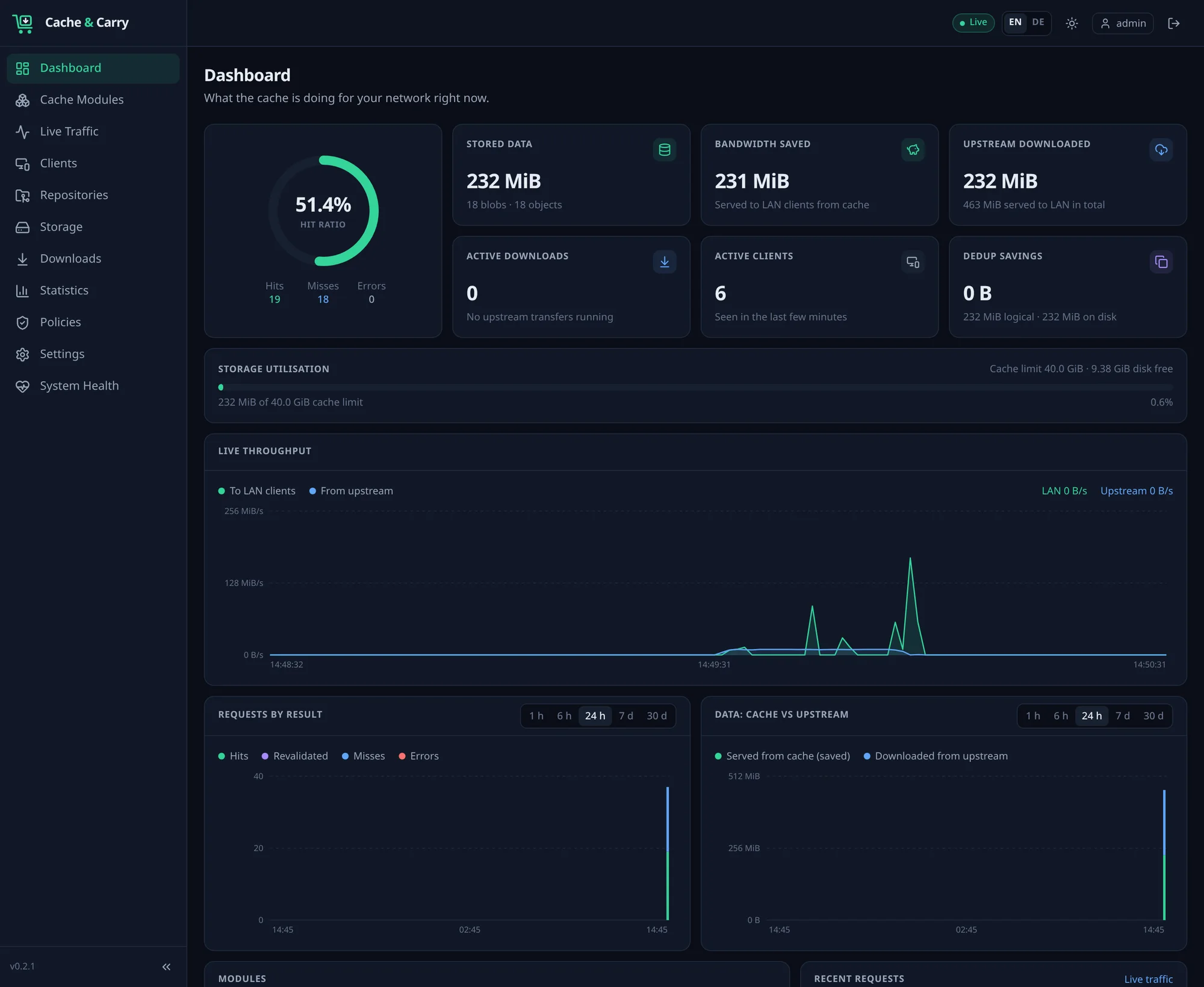
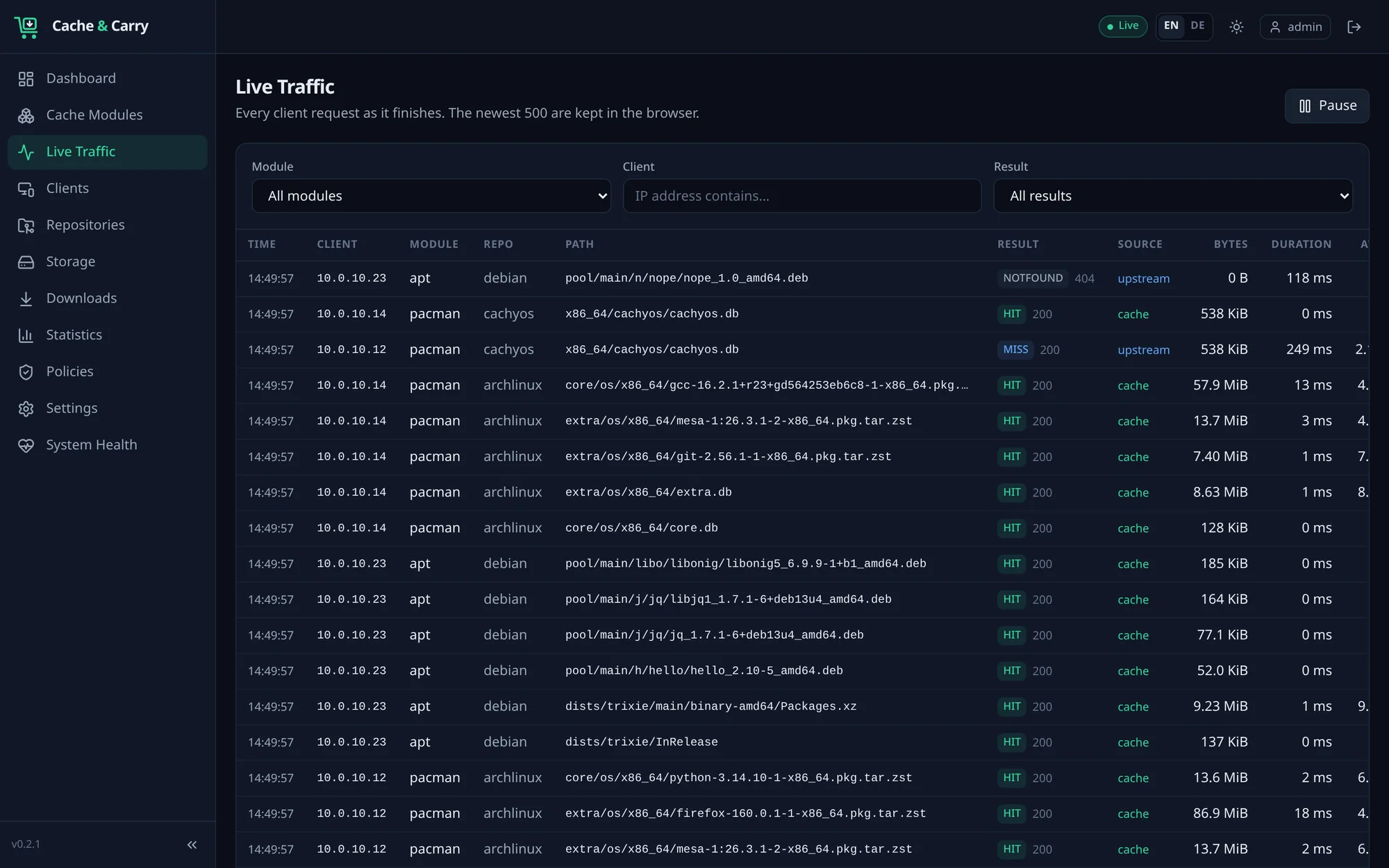
Every request as HIT or MISS, active downloads and clients, saved bandwidth and used storage.
Storage management
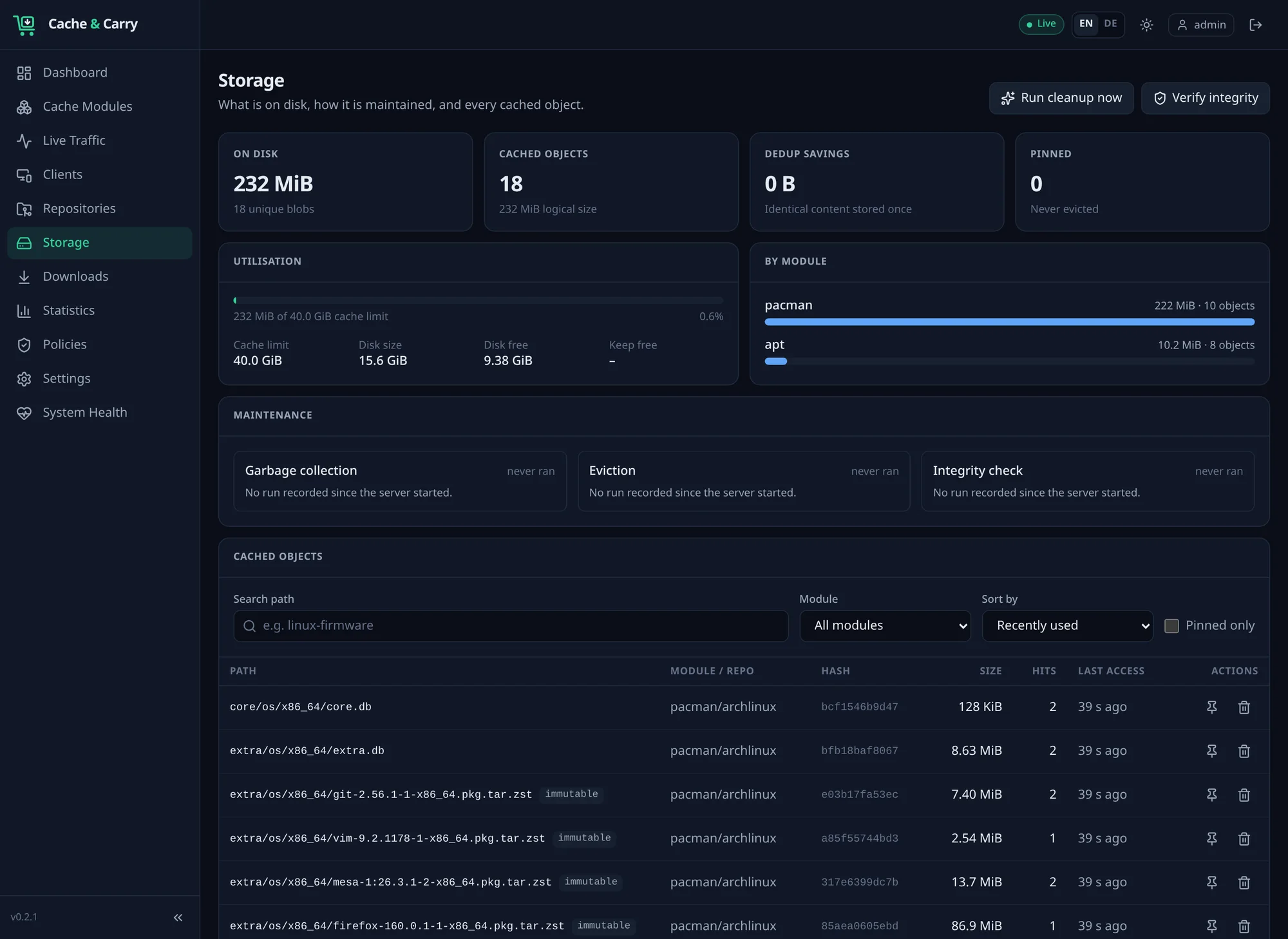
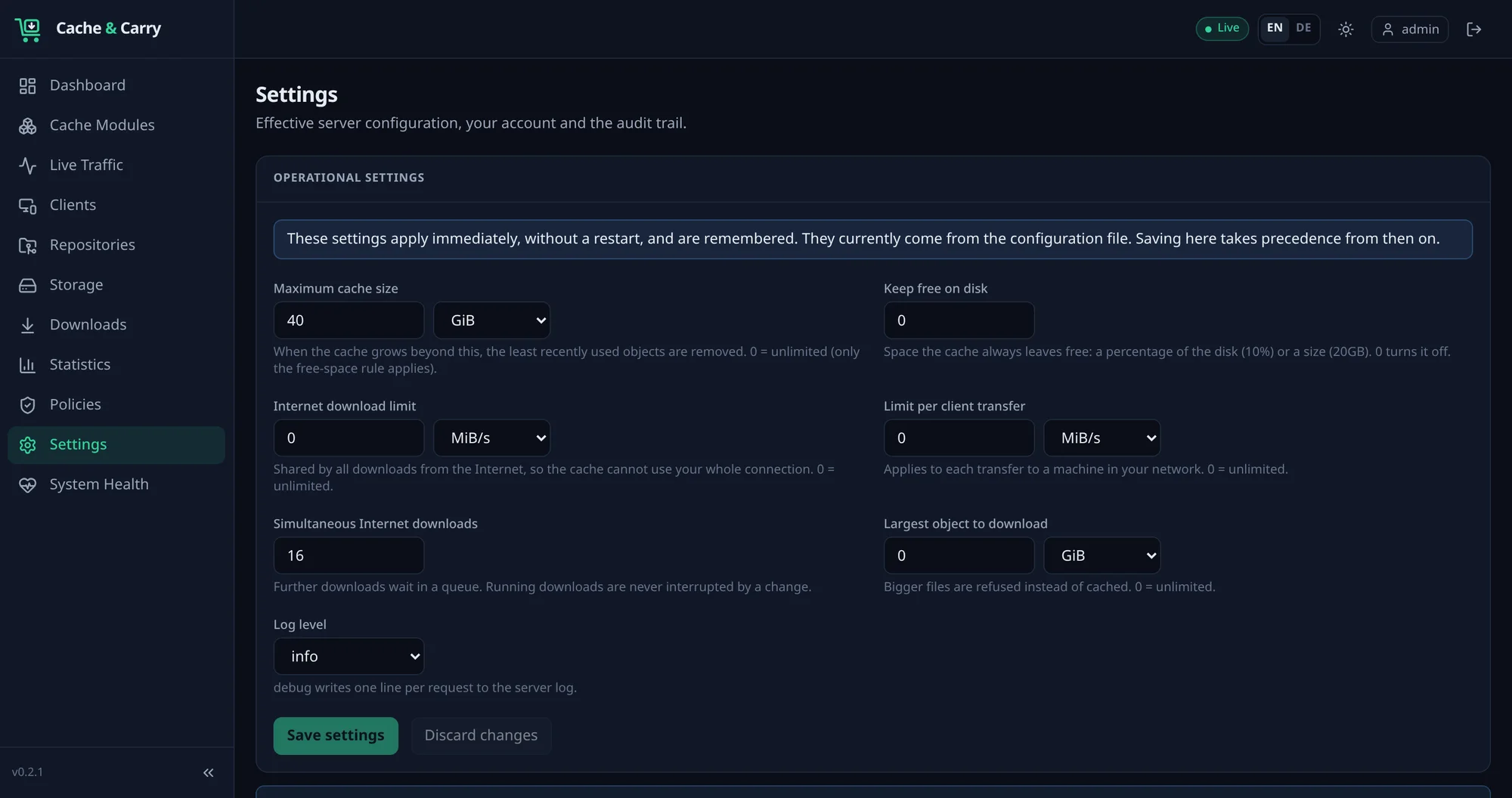
Change cache size, bandwidth limits and policies in the dashboard, effective at once without a restart. Pin, delete and verify files.
Resumed downloads
An interrupted download continues where it stopped instead of starting over.
Mirror fallback
If a mirror is down, the next configured mirror is used. Without Internet, everything already cached keeps installing.
Signatures stay intact
Packages pass through byte for byte. apt and pacman keep verifying them against their own keyrings. No TLS interception, no certificate on the clients.
Self-hosted
Runs on your own hardware, for example in a Proxmox LXC. No cloud, no account with a provider.
Light on resources
In testing about 13 MB of memory when idle and a container image of about 15 MB. A single static binary.
English and German
The dashboard speaks both languages. Switch in the top right corner.
Planned, not built yet
These formats are on the roadmap. They do not work today and will only be announced once they are tested with real clients.
Plain HTTP file servers: experimental, so far checked against mock servers only.
- Container images
- npm
- PyPI
- RPM
- Maven
- Game downloads
- Windows updates
02 · How it works
From the Internet once. From your LAN as often as you like.
Machines are pointed at the cache on purpose, with one line in their package sources. Everything after that happens on its own.
- 01
Request
A machine on your LAN asks for a package through apt or pacman.
- 02
Look up
Cache & Carry checks whether the file is already on its own disk.
- 03
MISS: fetch once
If it is not there yet, it is fetched from the configured mirror. Exactly one download, even for many requests at once.
- 04
Serve while arriving
Every waiting machine receives the file while it is still coming in.
- 05
Store safely
The SHA-256 hash is computed while the file streams. Only the complete file is moved to its final place, in one atomic step.
- 06
HIT: from the LAN
Every further machine gets the file straight from your local network.
The terms in brief
HIT- The file was already in the cache and comes from your own network.
MISS- The file was not there yet and was fetched once from the Internet.
SHA-256- A checksum over the content of a file. The same content always gives the same sum, so it is stored only once.
LAN cache- A store in your local network, close to the machines that use it.
Upstream mirror- The public server the packages originally come from, for example deb.debian.org.
Package manager- The program that installs and updates software: apt on Debian and Ubuntu, pacman on Arch Linux and CachyOS.
03 · Example measurement
From Internet speed to LAN speed.
An 8.6 MiB package index (Arch Linux extra.db) in the project test network, once from the Internet and once from the cache.
≈ 107×extra.db · 8.6 MiB
04 · Screenshots
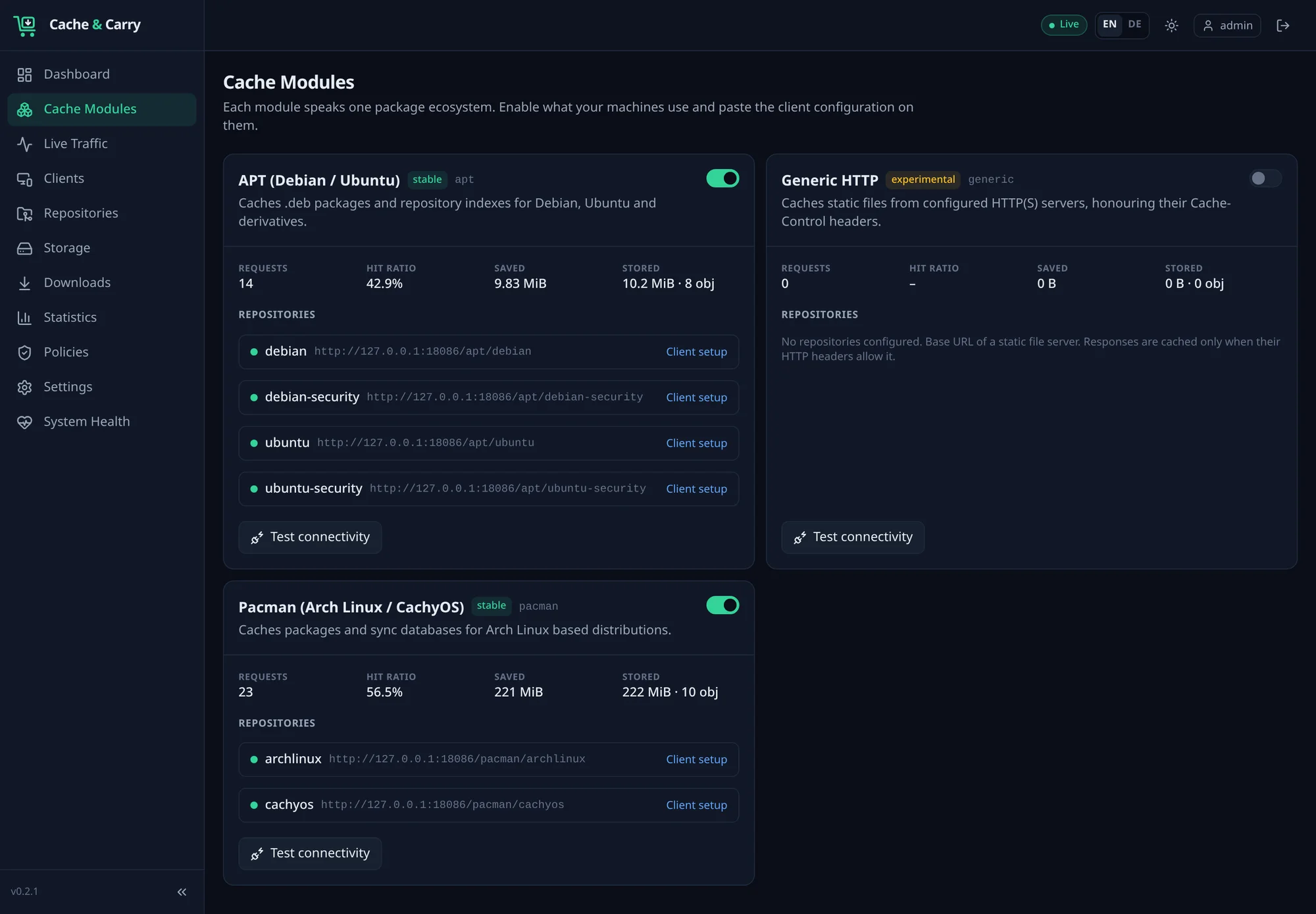
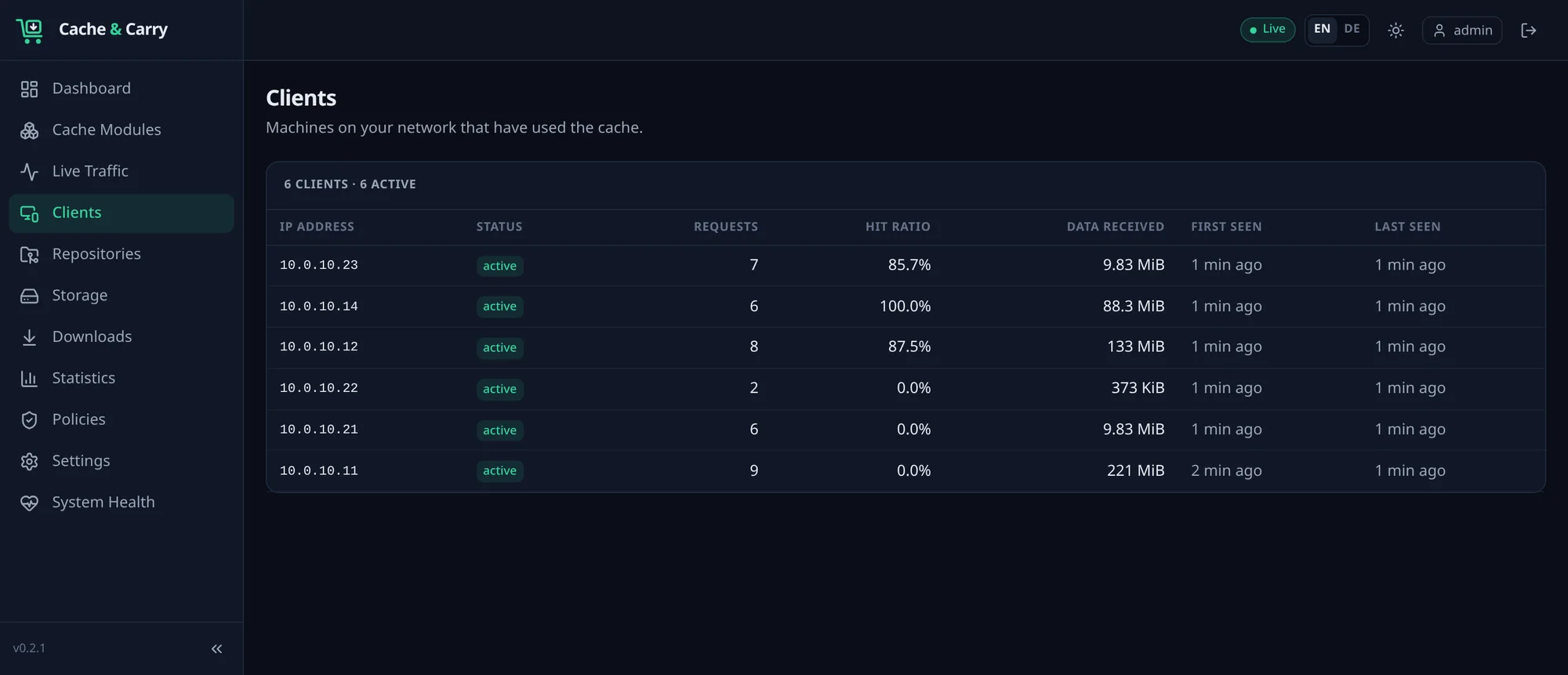
The dashboard, as it is.
Real screenshots of the software with data from the test network. Not a live view.
05 · Video tutorials
Step by step on video.
Guides for installation, Proxmox, Docker and client setup will appear on YouTube one by one.
The first video tutorials are coming soon.
As soon as a video is published, it shows up here. Until then the guide on GitHub has you covered.
Planned topics
- Installation
- Proxmox
- Docker
- APT setup
- Pacman setup
- Dashboard
06 · Get started
Up and running in a few minutes.
An unprivileged Proxmox LXC with 2 cores and 1 GB of memory is plenty. Every command comes from the guide in the repository.
With the release package
Download the package for your machine from the latest release: amd64 for normal PCs and servers, arm64 for a Raspberry Pi and similar. Then unpack and install:
Download the latest release(opens in a new tab)tar xzf cachencarry-*-linux-amd64.tar.gz
cd cachencarry-*-linux-amd64
sudo ./scripts/install.shThen open http://<address>:8080 in your browser and create your account. Setup asks for a one-time token, which this command prints on the server:
su -s /bin/sh cachencarry -c '/usr/local/bin/cachencarry setup-token'Tested in an unprivileged Debian 13 container on Proxmox VE 9.2.
With Docker Compose
Clone the repository, copy the example configuration, start. Set the administrator password in .env, at least 10 characters.
git clone https://github.com/Anarki-LNX/cachencarry.git
cd cachencarry
cp .env.example .env
# set CACHENCARRY_ADMIN_PASSWORD in .env, at least 10 characters
docker compose up -d --buildThe image was built and run with the Compose hardening options. A full run of docker compose up is still open, see TODO.md.
From source
Builds the dashboard and a single static binary. The finished package ends up in dist/.
git clone https://github.com/Anarki-LNX/cachencarry.git
cd cachencarry
make distNeeds Go 1.27 and Node.js 20 or newer on the build machine. None of that on the target.
Point a machine at it
One line per repository. The dashboard shows the matching lines itself as well.
Server = http://<address>:8080/pacman/archlinux/$repo/os/$archTypes: deb
URIs: http://<address>:8080/apt/debian
Suites: trixie trixie-updates
Components: main contrib non-free-firmware
Signed-By: /usr/share/keyrings/debian-archive-keyring.gpg07 · Open source
Built in the open. Made for your network.
All of the source code is on GitHub. You can read it, run Cache & Carry yourself and help shape what comes next.
Apache License 2.0
Free to use, commercial use included. With a patent grant for everyone involved.
Early release. What is tested and what is not is listed honestly in TODO.md. (opens in a new tab)
- Source codeGo, React and the complete documentation(opens in a new tab)
- IssuesReport bugs and ask for features(opens in a new tab)
- ContributingDevelopment setup and rules(opens in a new tab)
- SecurityThreat model and how to report(opens in a new tab)
- RoadmapWhat comes next(opens in a new tab)
- ReleasesEvery version with checksums(opens in a new tab)

♥ · Support
Support open source
Cache & Carry is free and open source software. If you like the project and want to support its development, we are glad about your voluntary support.
You can help without money too: with a star on GitHub, a bug report or by telling others about it.
Voluntary. Opens PayPal in a new tab. Cache & Carry stays free either way.